
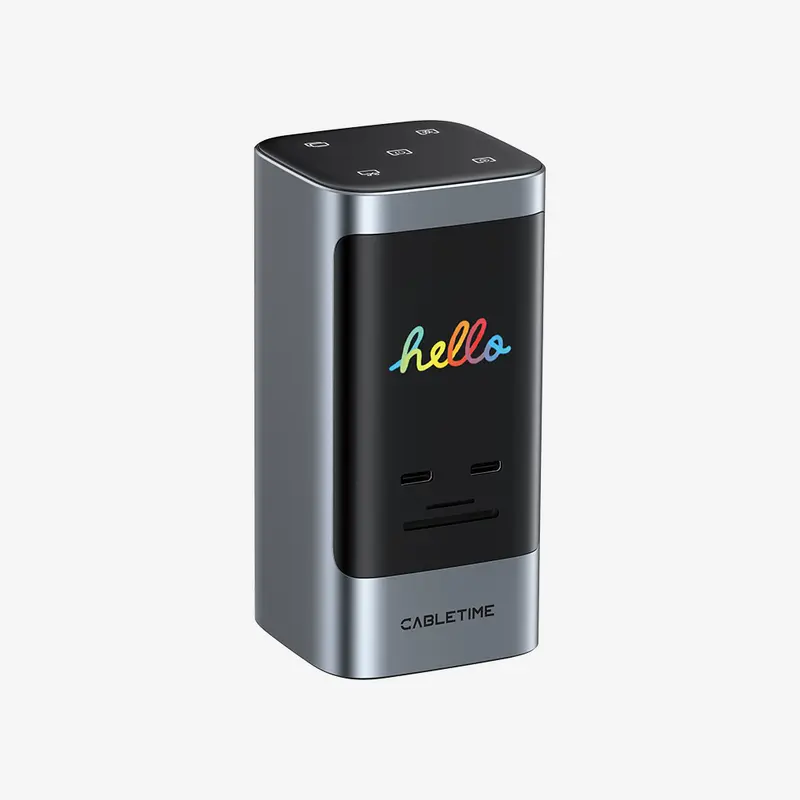

Widely Compatible
Use with a laptop whose USB-C port supports the functions you need: USB data for peripherals, DisplayPort Alt Mode for external video, and USB Power Delivery input for laptop charging. A data-only USB-C port cannot provide the dock’s display output.
– Windows 10/11: Supports independent external desktops on compatible MST-capable systems. Representative laptops with the required video-capable USB-C and PD connectivity include Dell Vostro 5320 and Lenovo ThinkPad T14 Gen 2 (Intel). Maximum display combinations remain dependent on the individual host.
– macOS 13.5 or later: Supports compatible USB-C connections for desk expansion. External monitors connected through this dock display identical content; choose a different solution if you need independent external Mac desktops.
– ChromeOS: For compatible USB-C hosts. Confirm the Chromebook’s video, charging and external-display limits for the intended setup.
– Receiving displays: Connect monitors or TVs to the HDMI or DisplayPort outputs using suitable display cables.
Specs
| Brand | CABLETIME |
| Model | CB19G |
| Product | 14-in-1 Smart USB-C Docking Station |
| Host connection | Integrated 1m USB-C host cable, permanently attached to the dock |
| Expansion connections | 14, excluding the USB-C host connection |
| HDMI outputs | 2 × HDMI; up to 4K at 60Hz with one display connected |
| DisplayPort output | 1 × DisplayPort; up to 8K30Hz or 4K144Hz on supported Windows single-display setups |
| USB-C data ports | 1 × USB-C 3.2, up to 10Gbps; 1 × USB-C 3.0, up to 5Gbps |
| USB-A data ports | 2 × USB-A 3.0, up to 5Gbps; 2 × USB-A 2.0, up to 480Mbps |
| Ethernet | 1 × RJ45; up to 1000Mbps |
| Card readers | 1 × SD 3.0; 1 × microSD/TF 3.0 |
| Audio | 1 × 3.5mm audio and microphone combo jack |
| Power input | 1 × USB-C PD input; up to 100W |
| Laptop charging | Up to 85W via the host connection |
| Built-in display | Port connection information, charging status and connected-monitor information |
| Touch controls | Mirror/extend switching; dock information-page switching; mouse-selected area screenshot; three dock-screen brightness settings; computer lock |
| Dock power control | Hold the interface key for 2 seconds to shut down the dock; press any key to restart while power is connected |
| Shortcut connection requirement | macOS requires a display connected to the dock’s HDMI or DisplayPort output; Windows shortcuts do not require a video connection |
| Display modes | Windows MST: independent external desktops on supported systems; macOS: external displays show identical content |
| Operating systems | Windows 10/11, macOS 13.5 or later, ChromeOS; functions depend on host support |
| Video requirement | USB-C host port with DisplayPort Alt Mode; maximum modes depend on host graphics and display configuration |
| Charging requirement | Laptop supporting USB Power Delivery charging through the connected USB-C port, plus a suitable PD power source |
| Material | Aluminum alloy + plastic |
| Dimensions | 60 × 60 × 122mm |
| Host cable length | 1m; integrated, non-detachable |
| Warranty | 2 years |
| Package contents | 1 × docking station with integrated USB-C host cable; 1 × user manual; 1 × warranty card |
| SKU | CT-DK14D-AG |
Display Configuration
| Host / configuration | HDMI 1 | HDMI 2 | DisplayPort | Display behavior |
|---|---|---|---|---|
| Windows, single HDMI 1 | Up to 4K60Hz | — | — | One external display |
| Windows, single HDMI 2 | — | Up to 4K60Hz | — | One external display |
| Windows, single DP | — | — | Up to 8K30Hz or 4K144Hz | One external display |
| Windows, dual HDMI | Up to 4K60Hz | Up to 4K60Hz | — | Independent desktops or mirroring |
| Windows, HDMI 1 + DP | Up to 4K60Hz | — | Up to 4K60Hz | Independent desktops or mirroring |
| Windows, HDMI 2 + DP | — | Up to 4K60Hz | Up to 4K60Hz | Independent desktops or mirroring |
| Windows, triple | Up to 4K60Hz | Up to 4K30Hz | Up to 4K30Hz | Independent desktops or mirroring |
| macOS, single HDMI 1 | Up to 4K60Hz | — | — | One external display |
| macOS, single HDMI 2 | — | Up to 4K60Hz | — | One external display |
| macOS, single DP | — | — | Up to 4K144Hz | One external display |
| macOS, dual HDMI | Up to 4K60Hz | Up to 4K60Hz | — | External screens show the same image |
| macOS, HDMI 1 + DP | Up to 4K60Hz | — | Up to 4K60Hz | External screens show the same image |
| macOS, HDMI 2 + DP | — | Up to 4K60Hz | Up to 4K60Hz | External screens show the same image |
| macOS, triple | Up to 4K60Hz | Up to 4K60Hz | Up to 4K60Hz | External screens show the same image |
Maximum modes require a compatible host, monitor and display cable. Actual output depends on host graphics and display configuration. On macOS, external screens connected through this dock show identical content.
Avis
Il n’y a pas encore d’avis.